> ## Documentation Index
> Fetch the complete documentation index at: https://frenglish.mintlify.site/llms.txt
> Use this file to discover all available pages before exploring further.
# Authenticating Users
> Documentation for Unreal SDK API to manage sessions for the Sequence infrastructure stack for web3 gaming.
Visit our [Platform Requirements](/sdk/unreal/platforms) page for detailed information on setting up and ensuring
that the authentication methods you choose are properly configured in your Builder project.
## Sign In with Email OTP
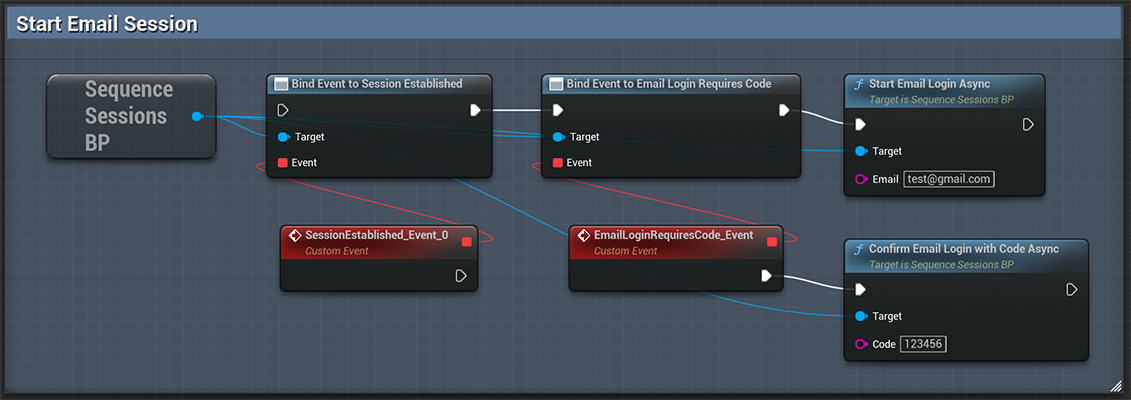
Sign in users with any email, and they will receive a one-time password in their inbox.
Listen for the Email Requires Code event.
 ## Social Sign In
To initiate SSO-based authentication on desktop, you need to navigate to a browser to obtain the necessary id\_token.
On mobile, our SDK handles this process for you using integrated plugins.
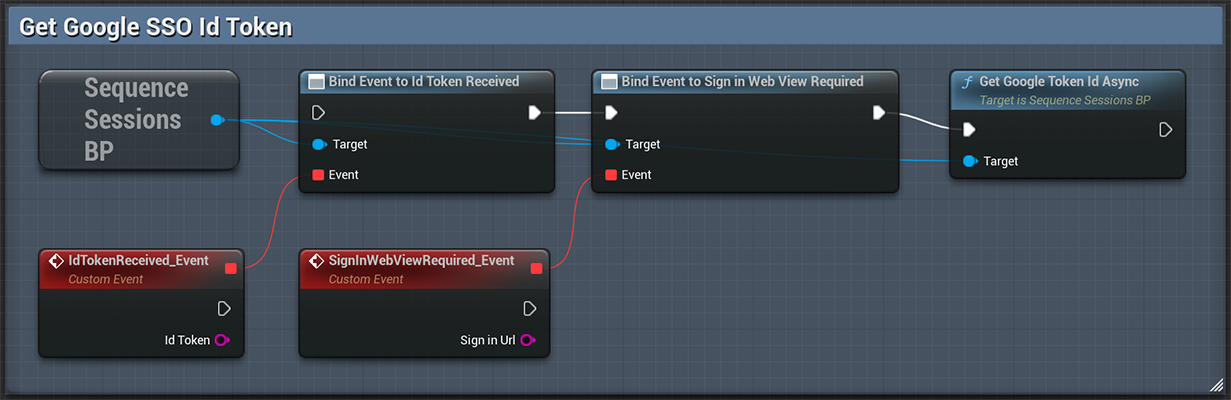
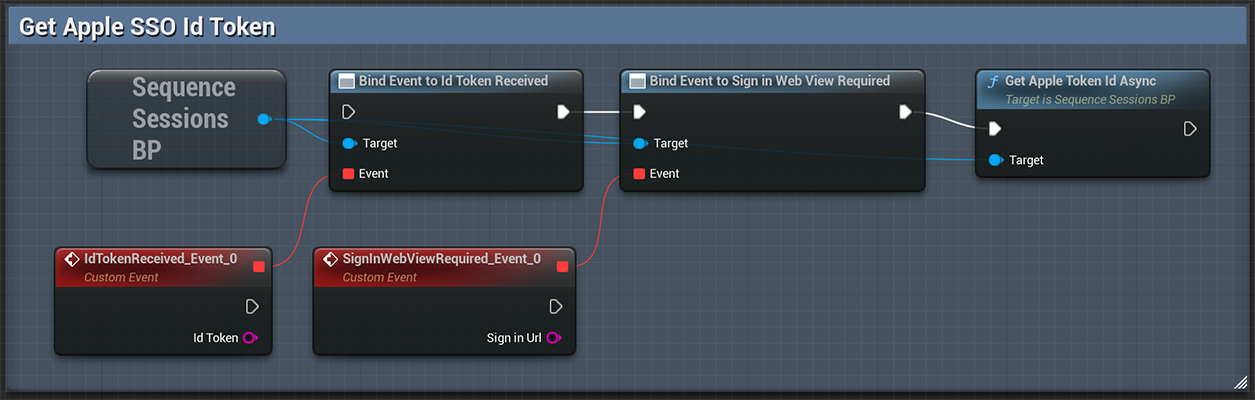
On desktop platforms, listen for the `Sign in Web View Required` event and open the returned `Sign In URL`.
On mobile platforms, listen for the `Id Token Received` event.
When you call the `Sign In` functions, listen for the `Session Established` event on the `SequenceSessionsBP` subsystem
to know when the sign in request was successful. Listen for `Session Creation Failure` when something went wrong.
### Get Google Id Token
## Social Sign In
To initiate SSO-based authentication on desktop, you need to navigate to a browser to obtain the necessary id\_token.
On mobile, our SDK handles this process for you using integrated plugins.
On desktop platforms, listen for the `Sign in Web View Required` event and open the returned `Sign In URL`.
On mobile platforms, listen for the `Id Token Received` event.
When you call the `Sign In` functions, listen for the `Session Established` event on the `SequenceSessionsBP` subsystem
to know when the sign in request was successful. Listen for `Session Creation Failure` when something went wrong.
### Get Google Id Token
 ### Get Apple Id Token
 ### Sign In with Google
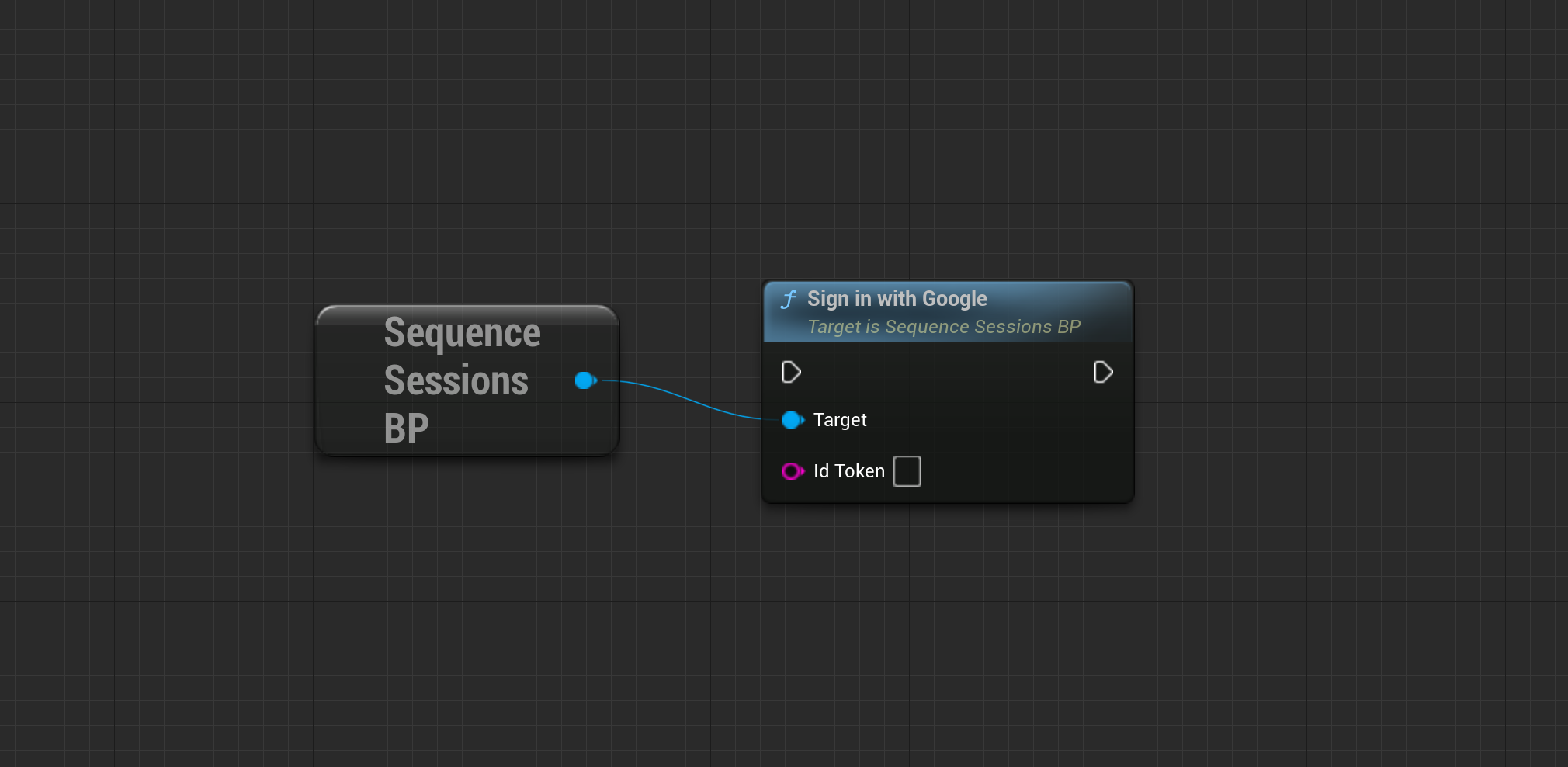
Sign In with a valid Google Id Token. You get this from the [Get Google Id Token](/sdk/unreal/authentication#get-google-id-token) node.
### Sign In with Google
Sign In with a valid Google Id Token. You get this from the [Get Google Id Token](/sdk/unreal/authentication#get-google-id-token) node.
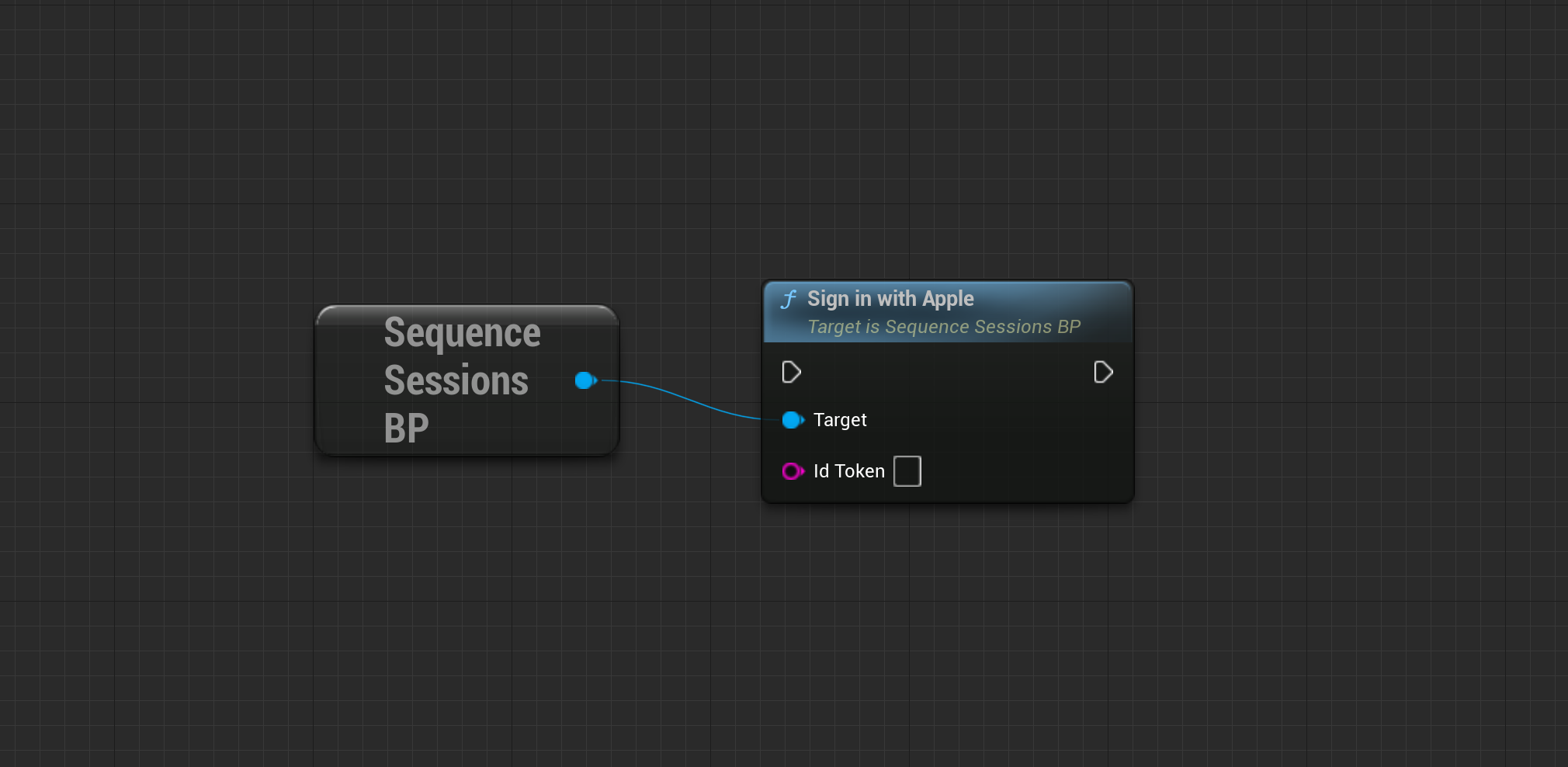
 ### Sign In with Apple
Sign In with a valid Apple Id Token. You get this from the [Get Apple Id Token](/sdk/unreal/authentication#get-apple-id-token) node.
### Sign In with Apple
Sign In with a valid Apple Id Token. You get this from the [Get Apple Id Token](/sdk/unreal/authentication#get-apple-id-token) node.
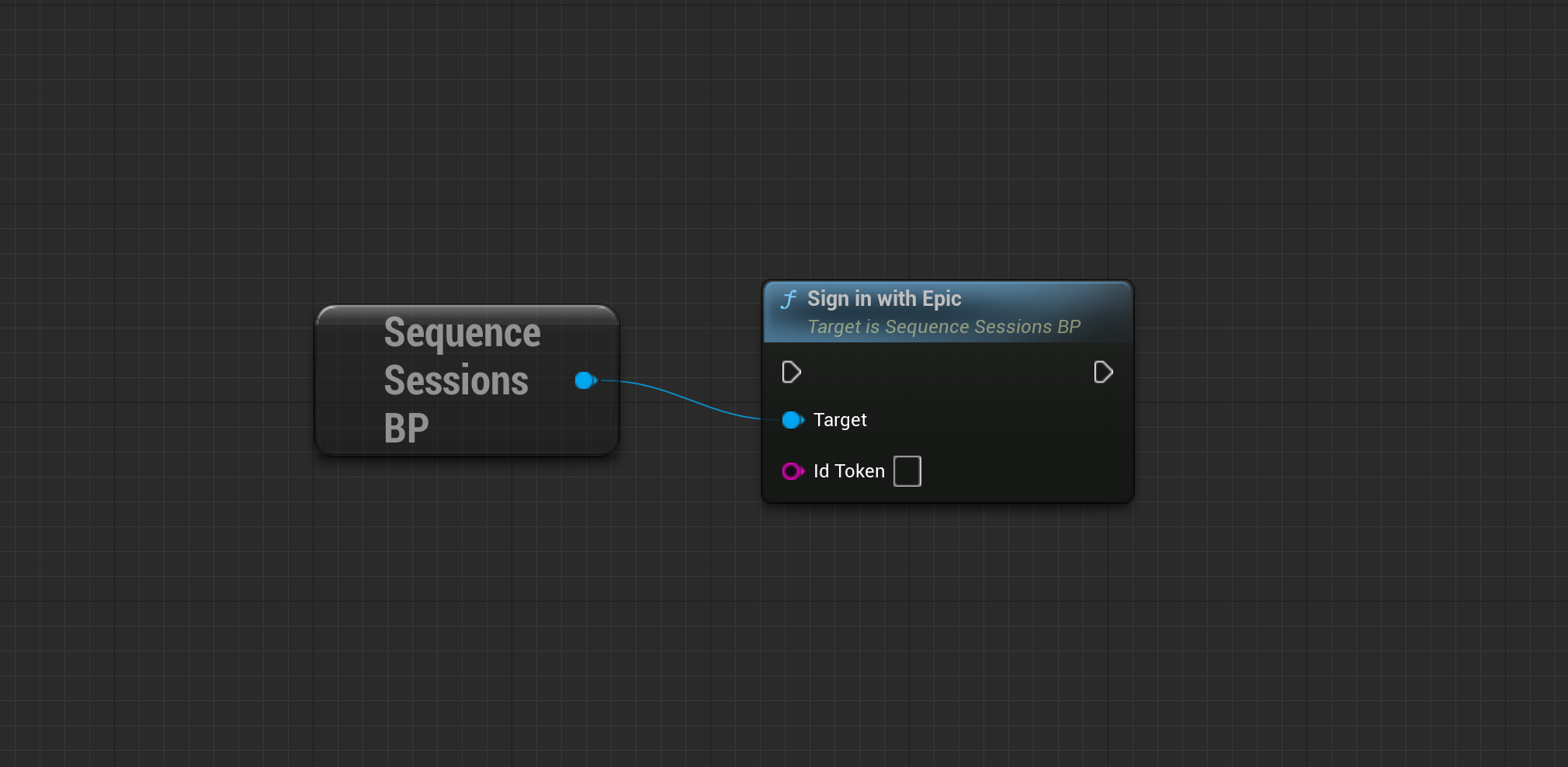
 ### Sign In with Epic
Sign In with a valid Epic Games Id Token. Checkout the [EOS Plugin for Unreal](https://dev.epicgames.com/documentation/en-us/unreal-engine/online-subsystem-eos-plugin-in-unreal-engine)
### Sign In with Epic
Sign In with a valid Epic Games Id Token. Checkout the [EOS Plugin for Unreal](https://dev.epicgames.com/documentation/en-us/unreal-engine/online-subsystem-eos-plugin-in-unreal-engine)
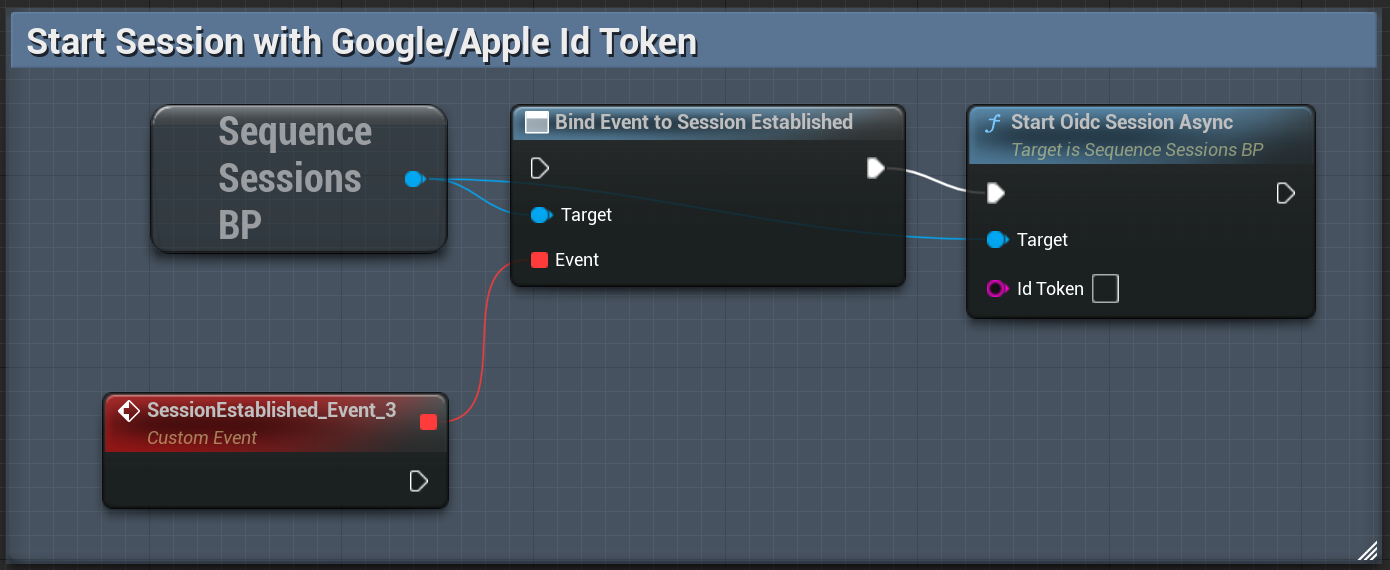
 ### Start Session with OIDC Id Token
Use this method to start a session using a valid Id token from Google, Apple or Epic Games.
### Start Session with OIDC Id Token
Use this method to start a session using a valid Id token from Google, Apple or Epic Games.
 ## PlayFab
You will need to include your PlayFab Title ID in the `SequenceConfig.ini` file
during [Configuration](/sdk/unreal/configuration) and [configure PlayFab in the Builder](/solutions/builder/embedded-wallet/playfab-configuration).
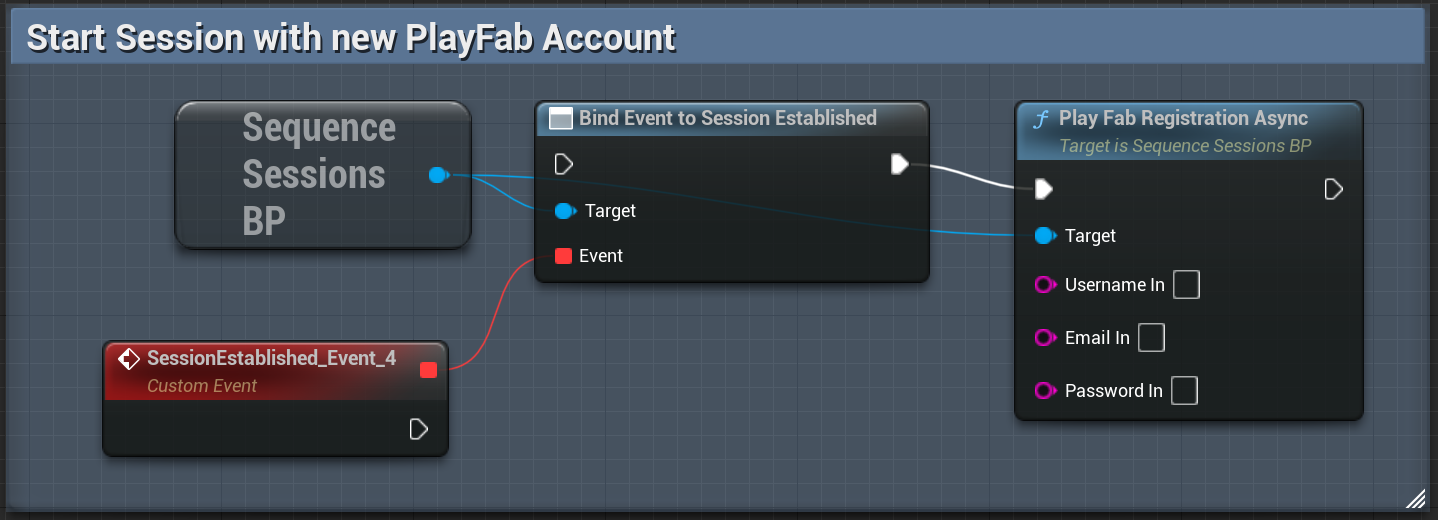
### Register a new PlayFab user
## PlayFab
You will need to include your PlayFab Title ID in the `SequenceConfig.ini` file
during [Configuration](/sdk/unreal/configuration) and [configure PlayFab in the Builder](/solutions/builder/embedded-wallet/playfab-configuration).
### Register a new PlayFab user
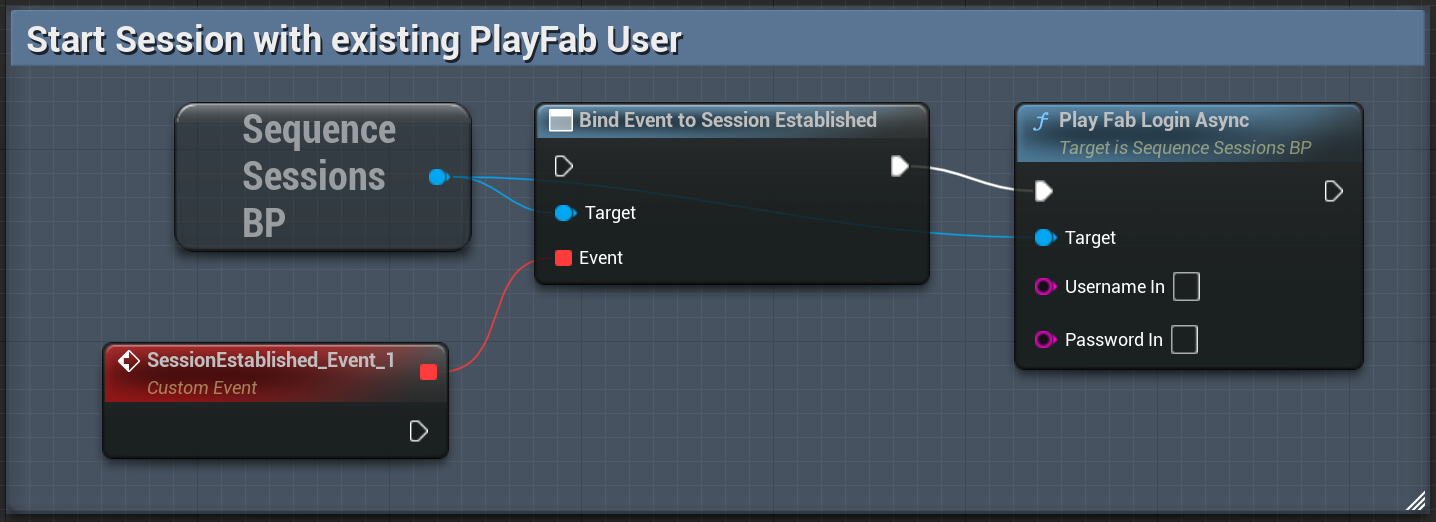
 ### Login with existing PlayFab user
 ### Custom PlayFab integration
If you have your own PlayFab integration, you are welcome to use it. Once you've received your SessionTicket from PlayFab, please pass it along for authentication with Sequence APIs using `PlayfabAuthenticateWithSessionTicket` method on your `USequenceAthenticator` object.
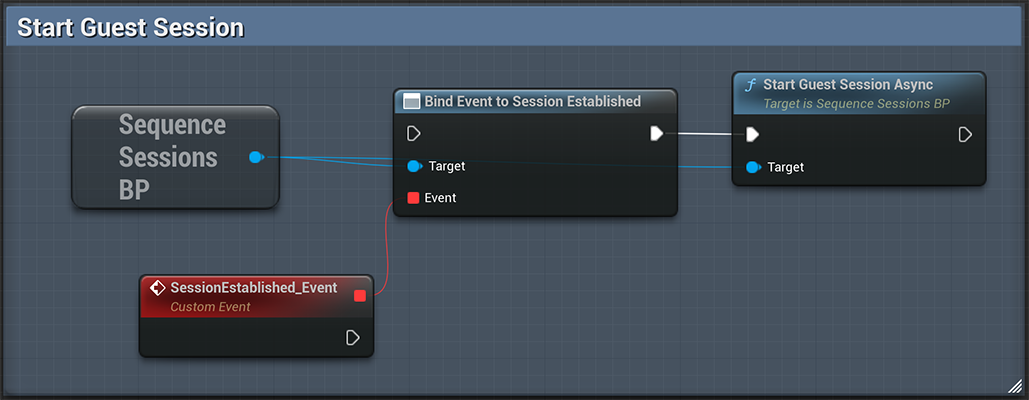
## Sign In as a Guest
You can sign in users as guests. However, note that they will lose access to their wallet if they uninstall the app or sign out.
### Custom PlayFab integration
If you have your own PlayFab integration, you are welcome to use it. Once you've received your SessionTicket from PlayFab, please pass it along for authentication with Sequence APIs using `PlayfabAuthenticateWithSessionTicket` method on your `USequenceAthenticator` object.
## Sign In as a Guest
You can sign in users as guests. However, note that they will lose access to their wallet if they uninstall the app or sign out.
 ## Federate Accounts
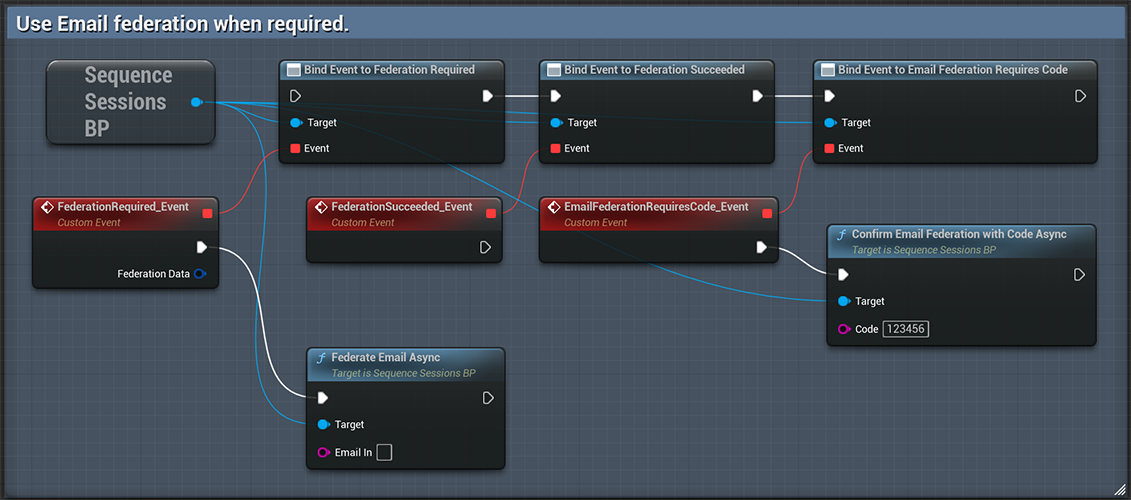
With Federated Accounts, you can associate multiple login methods with a single account and wallet.
If your user has signed in with as a Guest, you will definitely want to push them towards federating their
account in order to have persistent credentials with which they can access their Sequence Embedded Wallet in subsequent sessions.
While a user is authenticated with the Sequence API, you can add an additional login method by using the appropriate federate account call.
## Federate Accounts
With Federated Accounts, you can associate multiple login methods with a single account and wallet.
If your user has signed in with as a Guest, you will definitely want to push them towards federating their
account in order to have persistent credentials with which they can access their Sequence Embedded Wallet in subsequent sessions.
While a user is authenticated with the Sequence API, you can add an additional login method by using the appropriate federate account call.
 ## Get Id Token
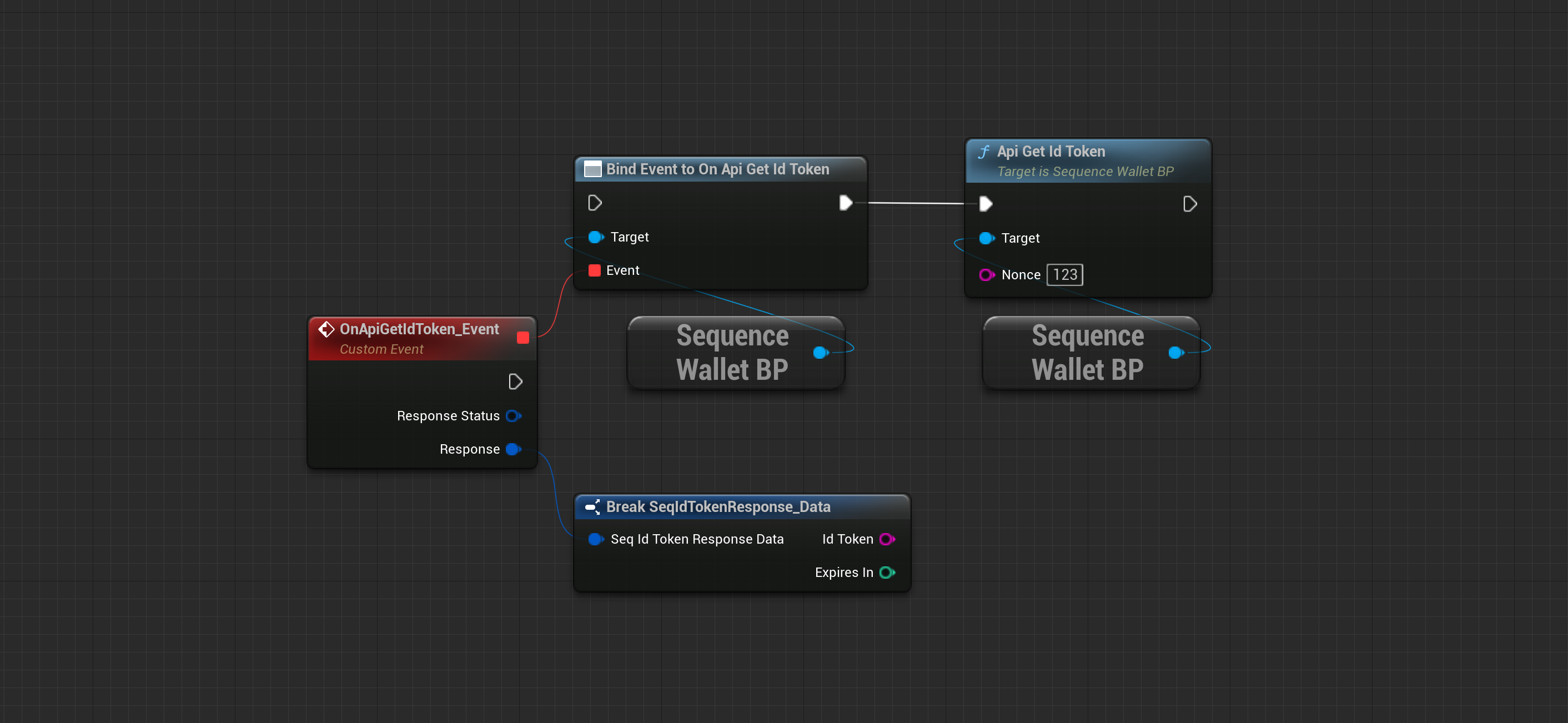
A common use case is to verify the user identity on your backend after the user has finished the login process in your app client.
Get a Sequence Id Token from your users to send it to your backend for verification using any JWKS library.
Read our [Backend Verification Guide](/sdk/headless-wallet/verification) for more information.
## Get Id Token
A common use case is to verify the user identity on your backend after the user has finished the login process in your app client.
Get a Sequence Id Token from your users to send it to your backend for verification using any JWKS library.
Read our [Backend Verification Guide](/sdk/headless-wallet/verification) for more information.
 ```cpp theme={null}
const TFunction OnSuccess = [this](const FSeqIdTokenResponse_Data& Data) { };
const TFunction OnFailure = [this](const FSequenceError& Err){ };
const TOptional WalletOptional = USequenceWallet::Get();
if (WalletOptional.IsSet() && WalletOptional.GetValue())
{
const USequenceWallet* Wallet = WalletOptional.GetValue();
Wallet->GetIdToken(Nonce, OnSuccess, OnFailure);
}
```
## Sign Out
Clear the credentials cache and sign out the current user.
```cpp theme={null}
const TFunction OnSuccess = [this](const FSeqIdTokenResponse_Data& Data) { };
const TFunction OnFailure = [this](const FSequenceError& Err){ };
const TOptional WalletOptional = USequenceWallet::Get();
if (WalletOptional.IsSet() && WalletOptional.GetValue())
{
const USequenceWallet* Wallet = WalletOptional.GetValue();
Wallet->GetIdToken(Nonce, OnSuccess, OnFailure);
}
```
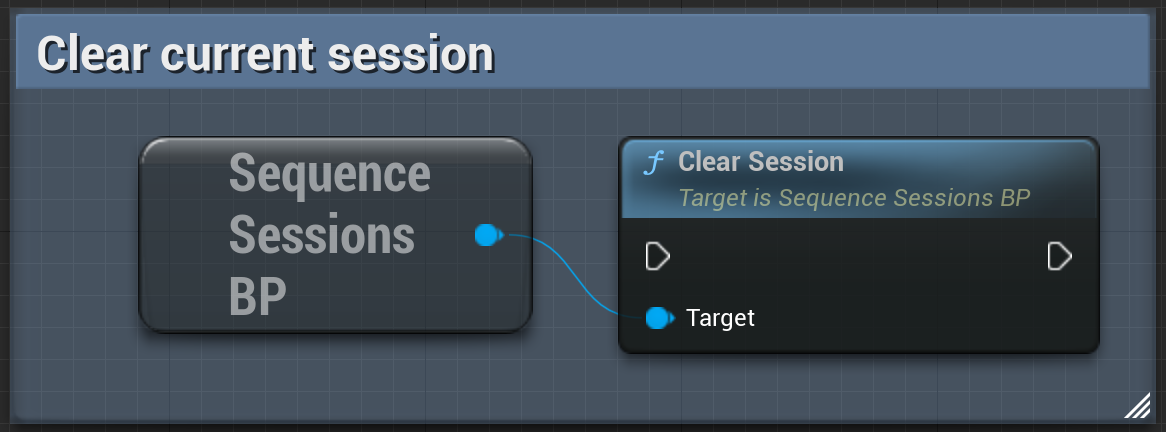
## Sign Out
Clear the credentials cache and sign out the current user.
 ```cpp theme={null}
const TOptional WalletOptional = USequenceWallet::Get();
if (WalletOptional.IsSet() && WalletOptional.GetValue())
{
USequenceWallet * Api = WalletOptional.GetValue();
Api->SignOut();
}
```
## List Sessions
List the active sessions.
```cpp theme={null}
const TOptional WalletOptional = USequenceWallet::Get();
if (WalletOptional.IsSet() && WalletOptional.GetValue())
{
USequenceWallet * Api = WalletOptional.GetValue();
Api->SignOut();
}
```
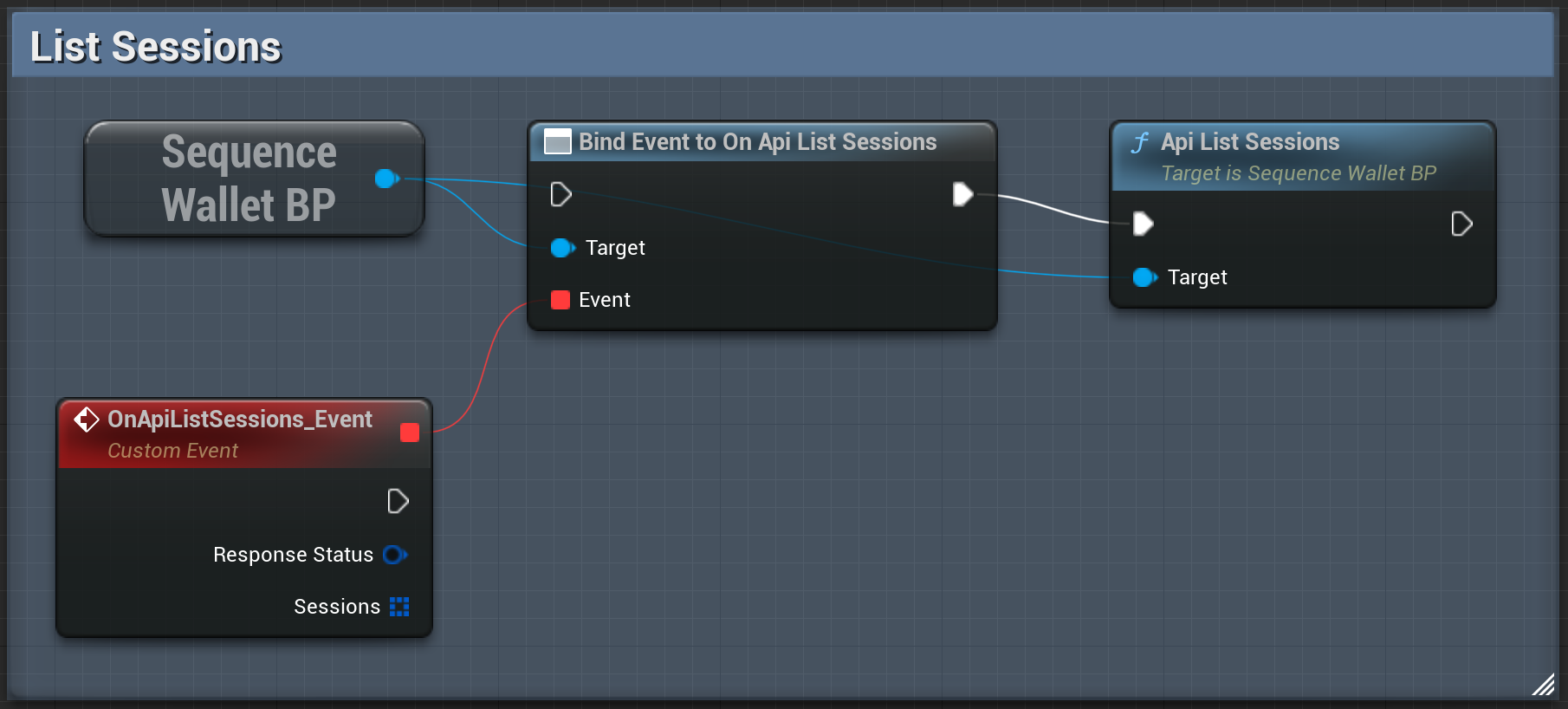
## List Sessions
List the active sessions.
 ```cpp theme={null}
const TSuccessCallback> OnSuccess = [=](TArray Response)
{
//Response is a list of Sessions
};
const FFailureCallback OnFailure = [=](const FSequenceError& Error)
{
UE_LOG(LogTemp,Display,TEXT("Error Message: %s"),*Error.Message);
};
const TOptional WalletOptional = USequenceWallet::Get();
if (WalletOptional.IsSet() && WalletOptional.GetValue())
{
USequenceWallet * Api = WalletOptional.GetValue();
Api->ListSessions(OnSuccess,OnFailure);
}
```
```cpp theme={null}
const TSuccessCallback> OnSuccess = [=](TArray Response)
{
//Response is a list of Sessions
};
const FFailureCallback OnFailure = [=](const FSequenceError& Error)
{
UE_LOG(LogTemp,Display,TEXT("Error Message: %s"),*Error.Message);
};
const TOptional WalletOptional = USequenceWallet::Get();
if (WalletOptional.IsSet() && WalletOptional.GetValue())
{
USequenceWallet * Api = WalletOptional.GetValue();
Api->ListSessions(OnSuccess,OnFailure);
}
```