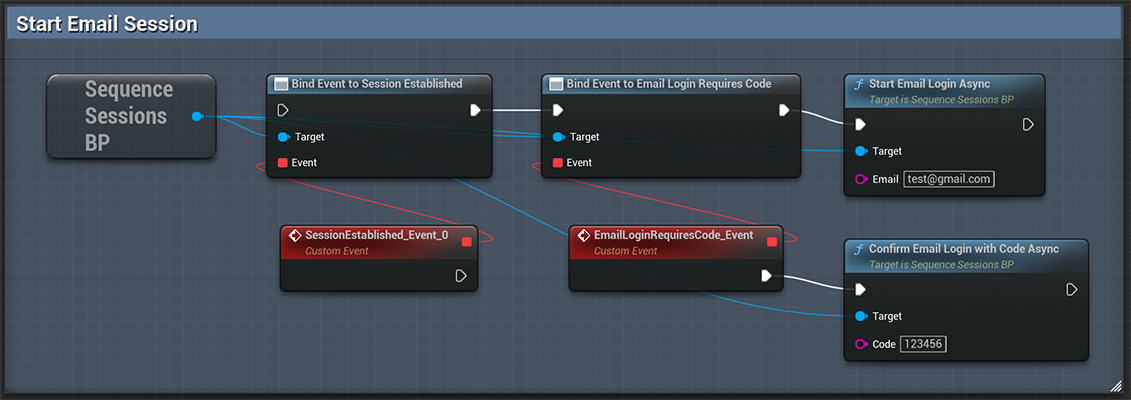
Sign In with Email OTP
Sign in users with any email, and they will receive a one-time password in their inbox. Listen for the Email Requires Code event.- Blueprint
Social Sign In
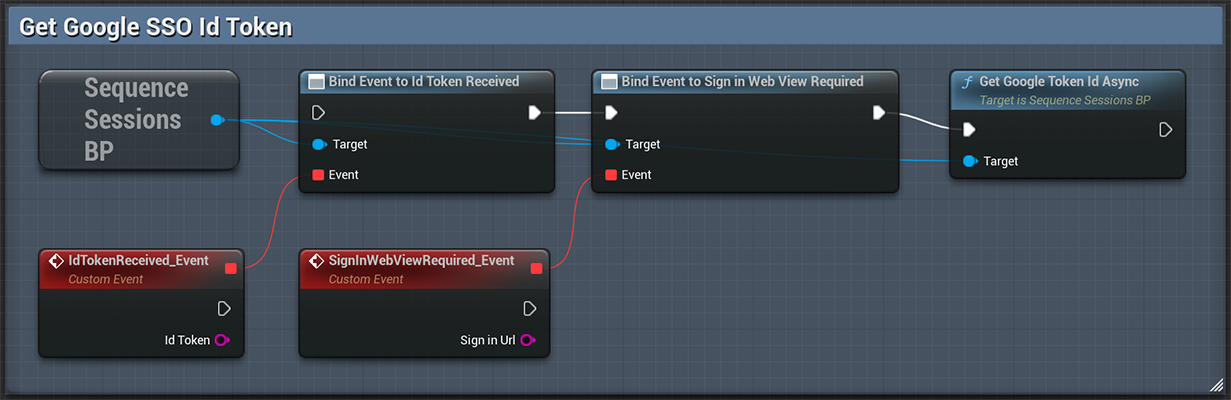
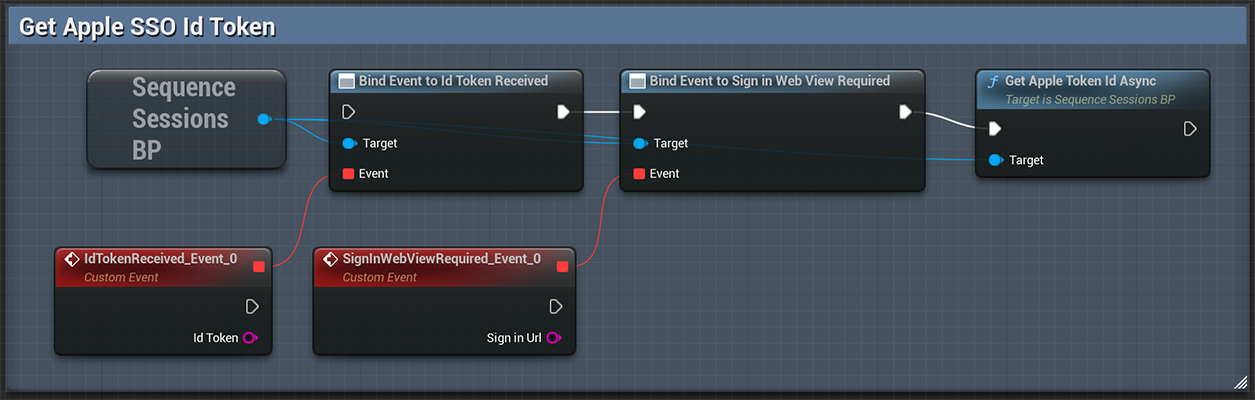
To initiate SSO-based authentication on desktop, you need to navigate to a browser to obtain the necessary id_token. On mobile, our SDK handles this process for you using integrated plugins. On desktop platforms, listen for theSign in Web View Required event and open the returned Sign In URL.
On mobile platforms, listen for the Id Token Received event.
When you call the Sign In functions, listen for the Session Established event on the SequenceSessionsBP subsystem
to know when the sign in request was successful. Listen for Session Creation Failure when something went wrong.
Get Google Id Token
- Blueprint
Get Apple Id Token
- Blueprint
Sign In with Google
Sign In with a valid Google Id Token. You get this from the Get Google Id Token node.- Blueprint
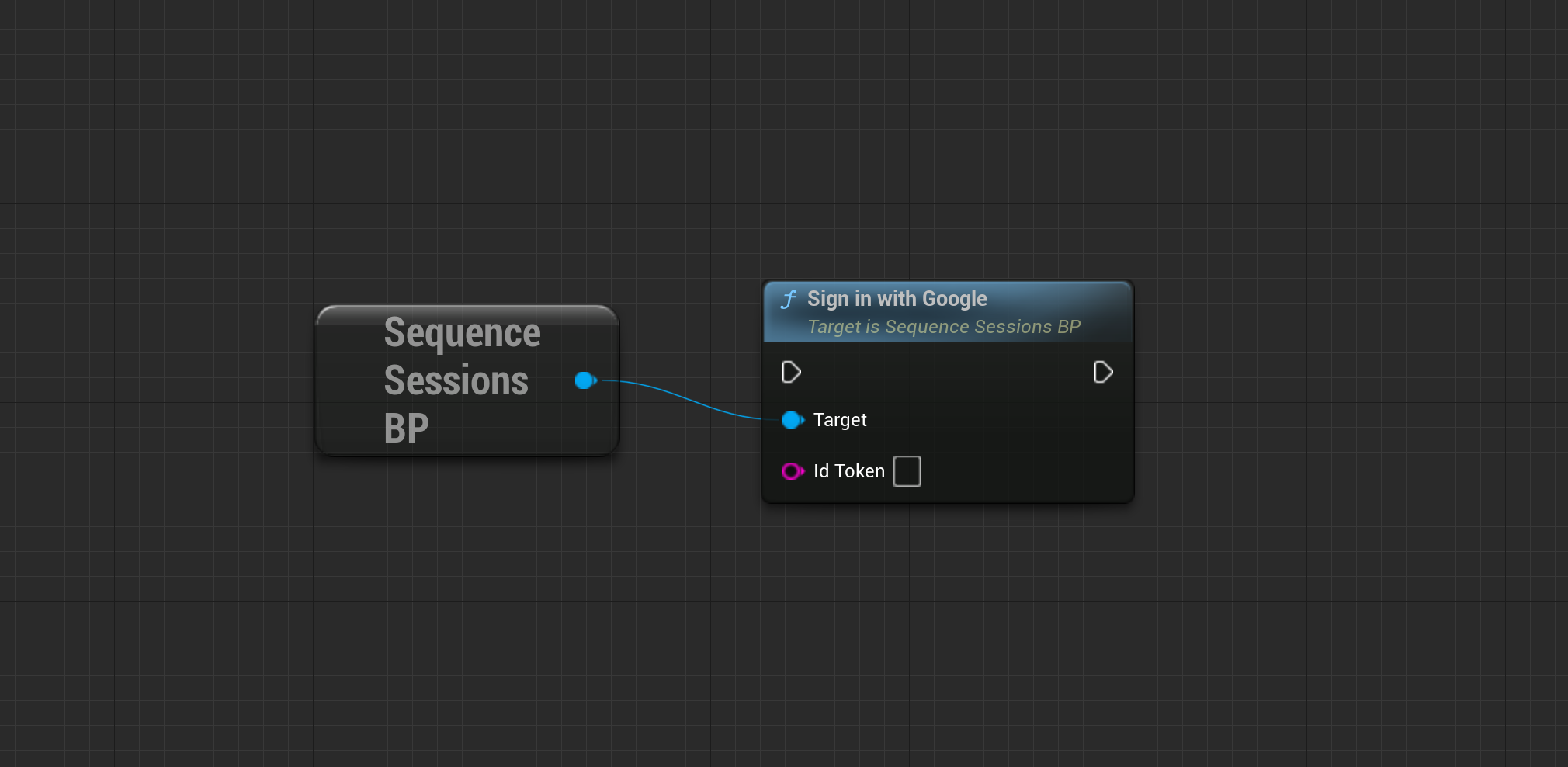
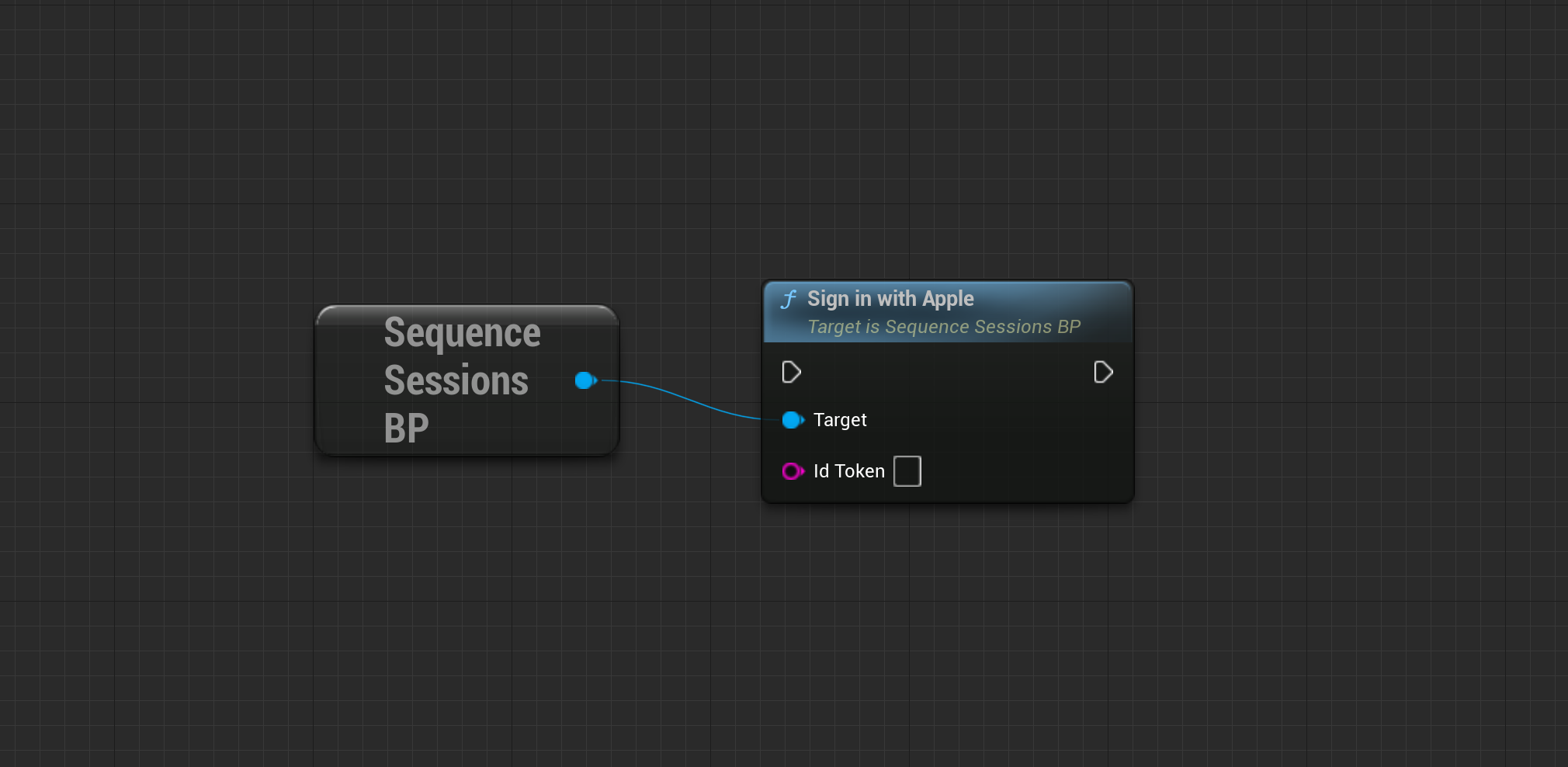
Sign In with Apple
Sign In with a valid Apple Id Token. You get this from the Get Apple Id Token node.- Blueprint
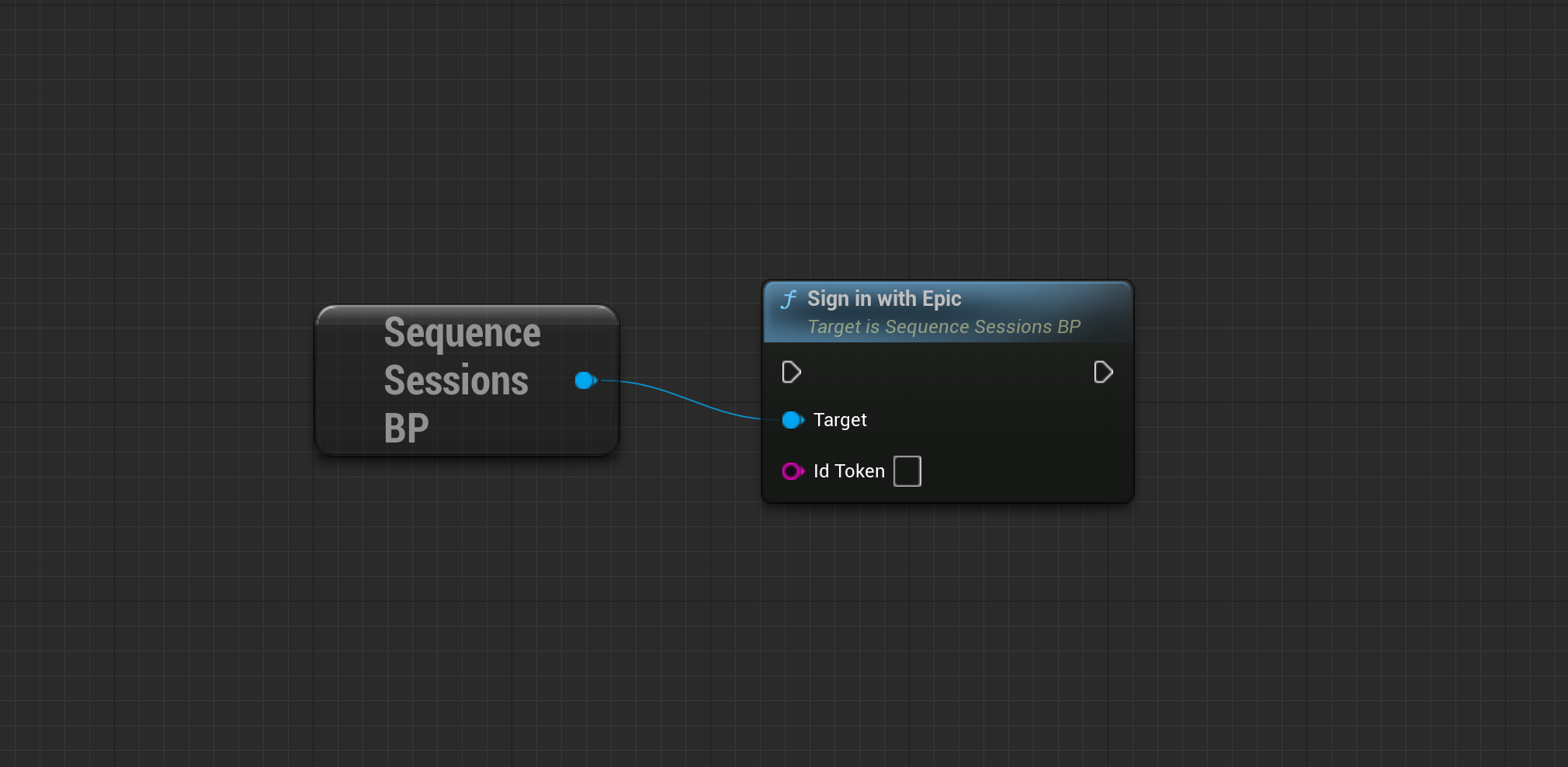
Sign In with Epic
Sign In with a valid Epic Games Id Token. Checkout the EOS Plugin for Unreal- Blueprint
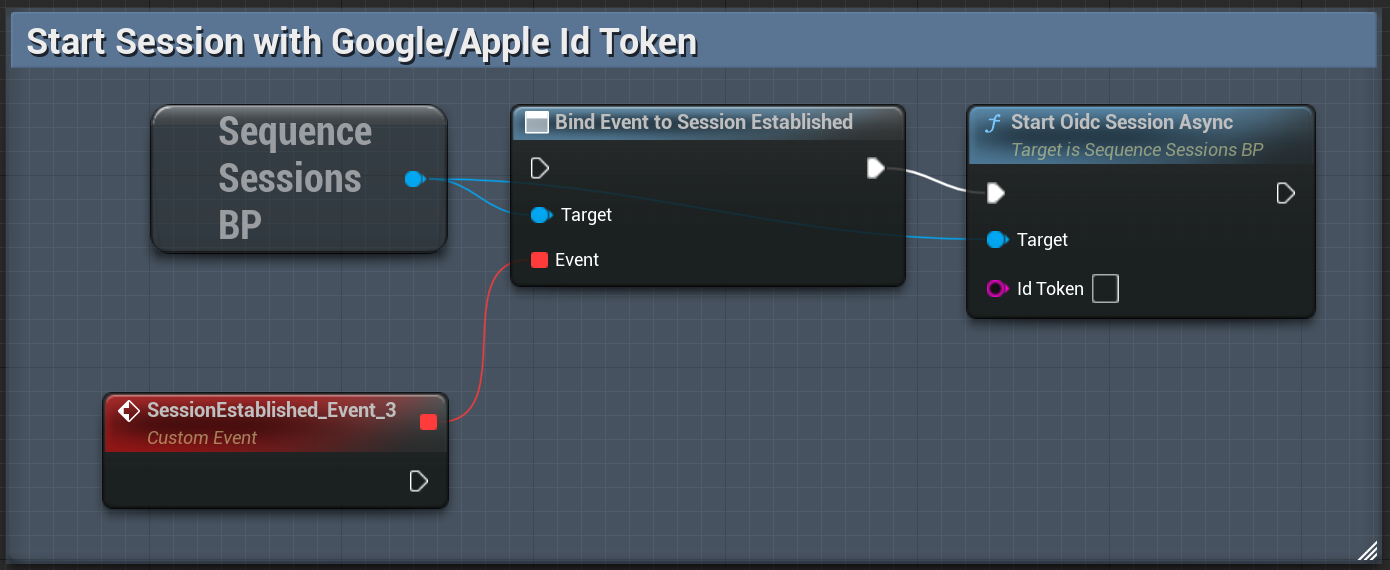
Start Session with OIDC Id Token
Use this method to start a session using a valid Id token from Google, Apple or Epic Games.- Blueprint
PlayFab
You will need to include your PlayFab Title ID in theSequenceConfig.ini file
during Configuration and configure PlayFab in the Builder.
Register a new PlayFab user
- Blueprint
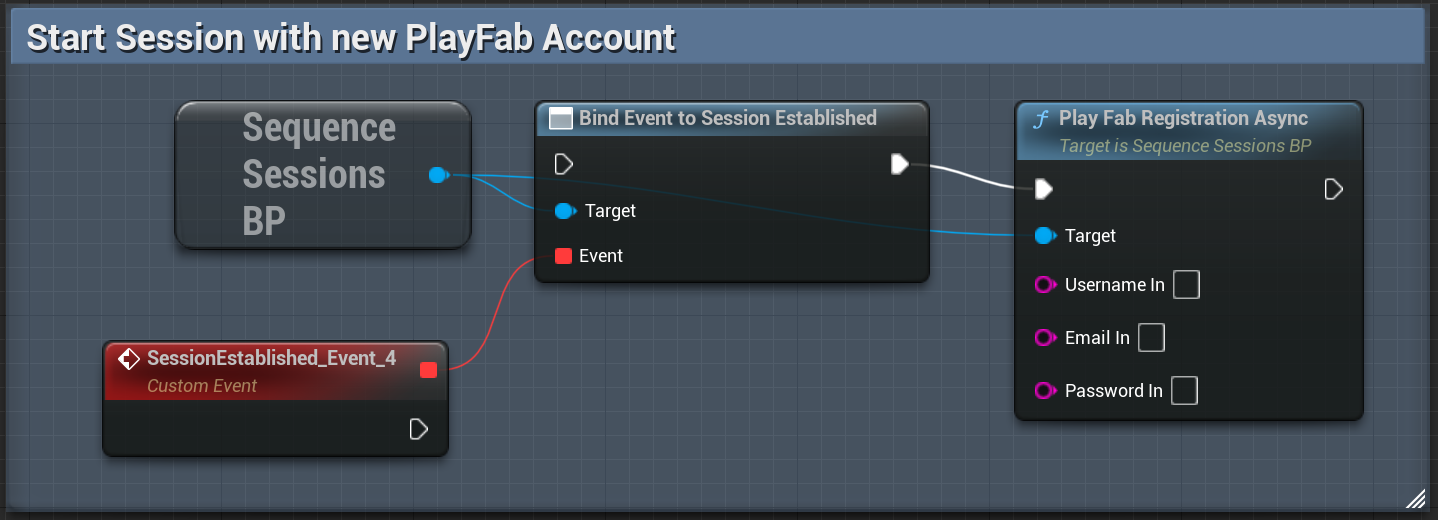
Login with existing PlayFab user
- Blueprint
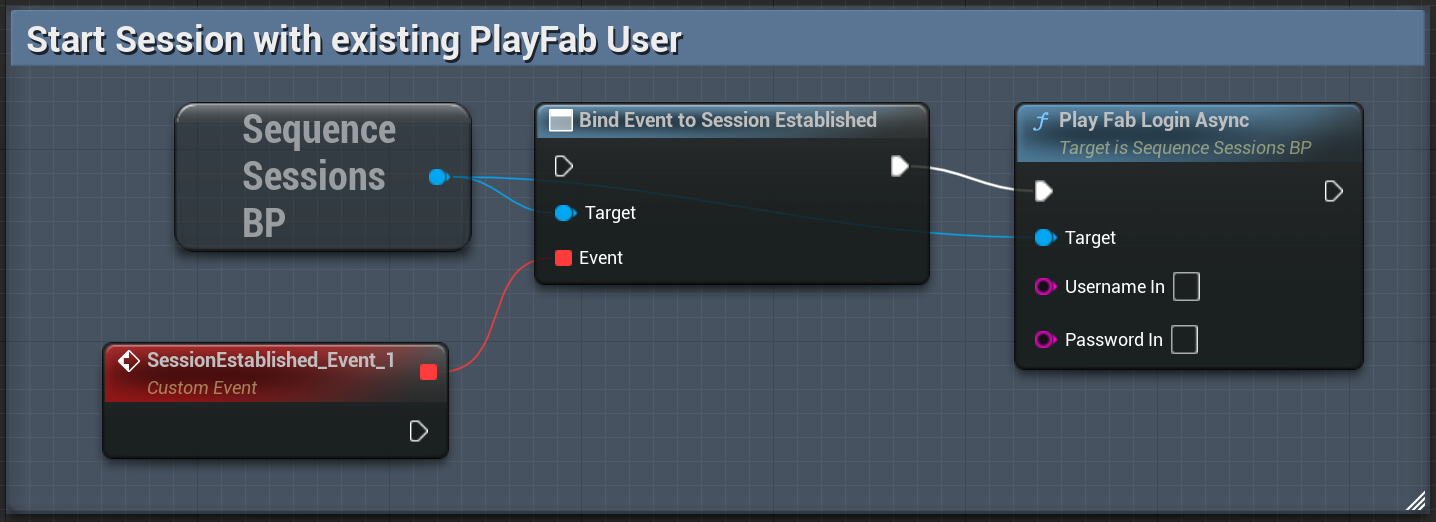
Custom PlayFab integration
If you have your own PlayFab integration, you are welcome to use it. Once you’ve received your SessionTicket from PlayFab, please pass it along for authentication with Sequence APIs usingPlayfabAuthenticateWithSessionTicket method on your USequenceAthenticator object.
Sign In as a Guest
You can sign in users as guests. However, note that they will lose access to their wallet if they uninstall the app or sign out.- Blueprint
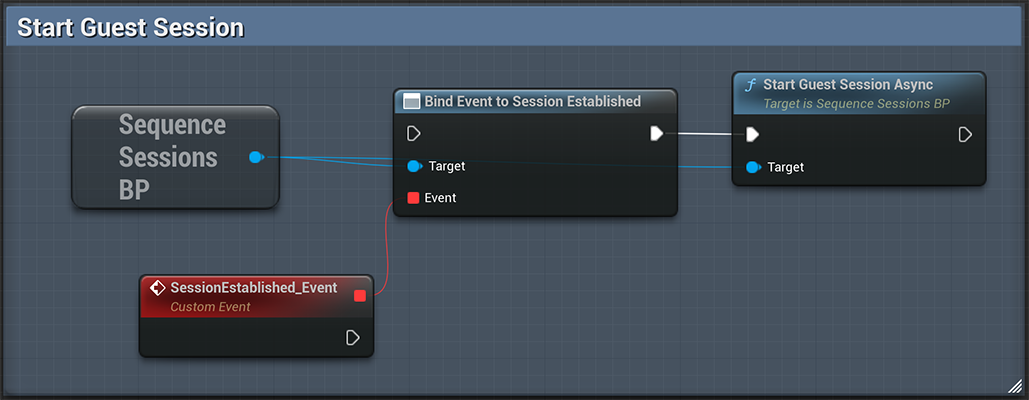
Federate Accounts
With Federated Accounts, you can associate multiple login methods with a single account and wallet. If your user has signed in with as a Guest, you will definitely want to push them towards federating their account in order to have persistent credentials with which they can access their Sequence Embedded Wallet in subsequent sessions. While a user is authenticated with the Sequence API, you can add an additional login method by using the appropriate federate account call.- Blueprint
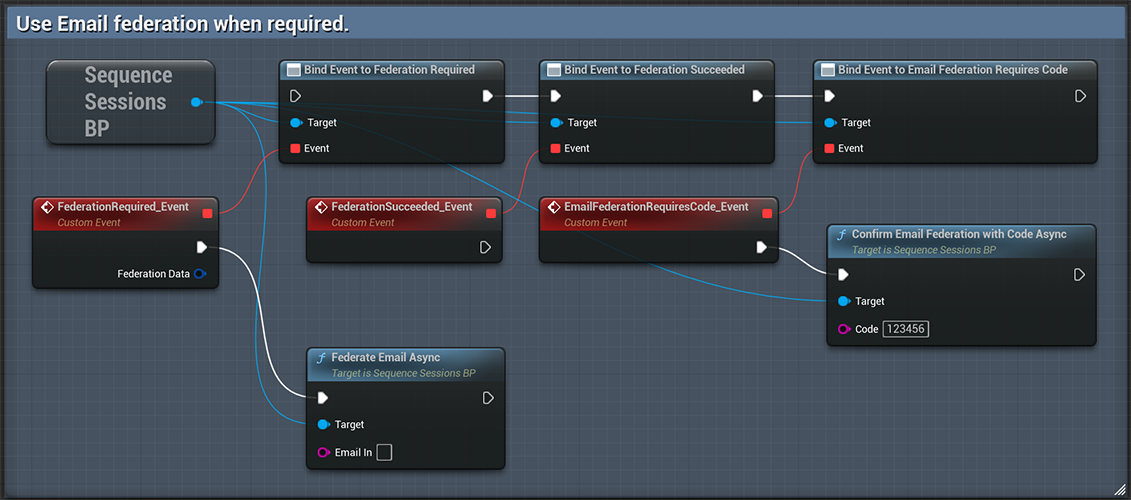
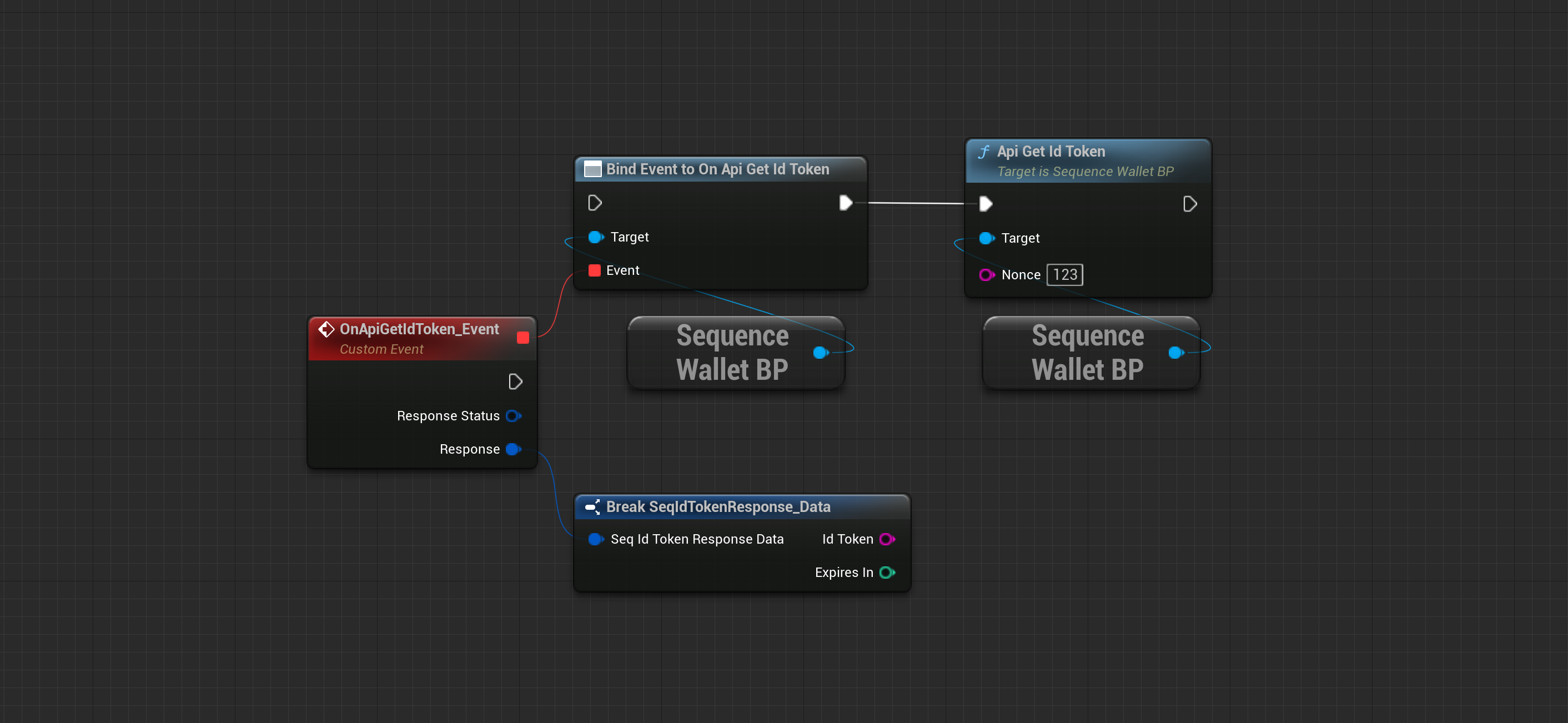
Get Id Token
A common use case is to verify the user identity on your backend after the user has finished the login process in your app client. Get a Sequence Id Token from your users to send it to your backend for verification using any JWKS library. Read our Backend Verification Guide for more information.- Blueprint
- C++
Sign Out
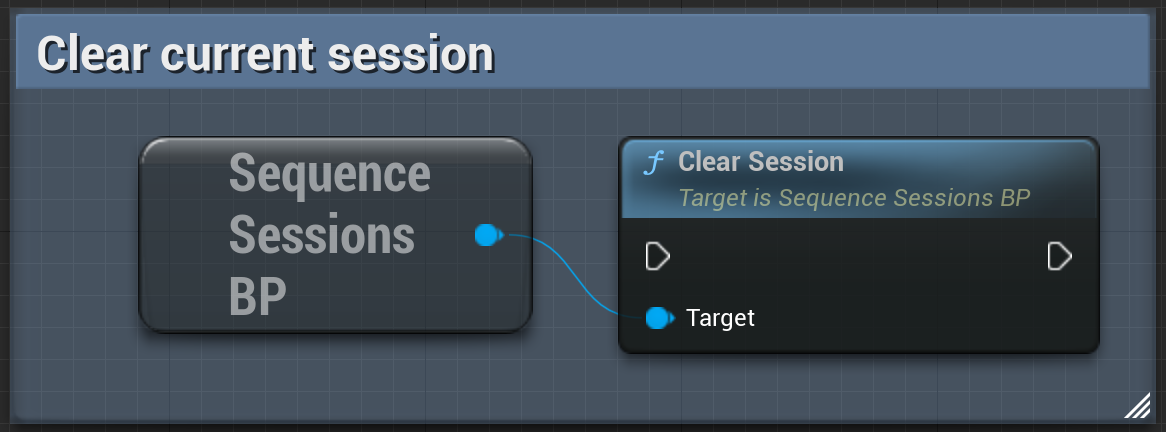
Clear the credentials cache and sign out the current user.- Blueprint
- C++
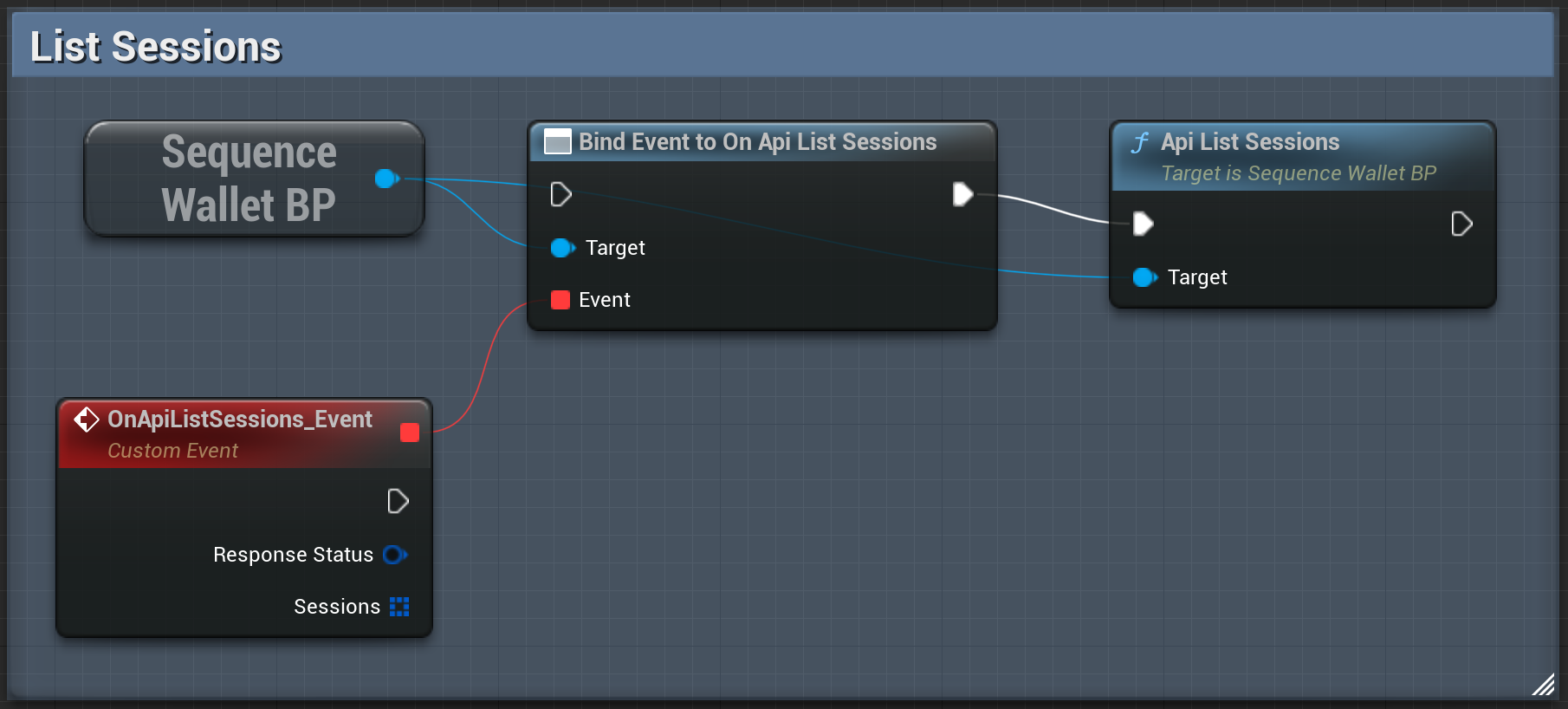
List Sessions
List the active sessions.- Blueprint
- C++